
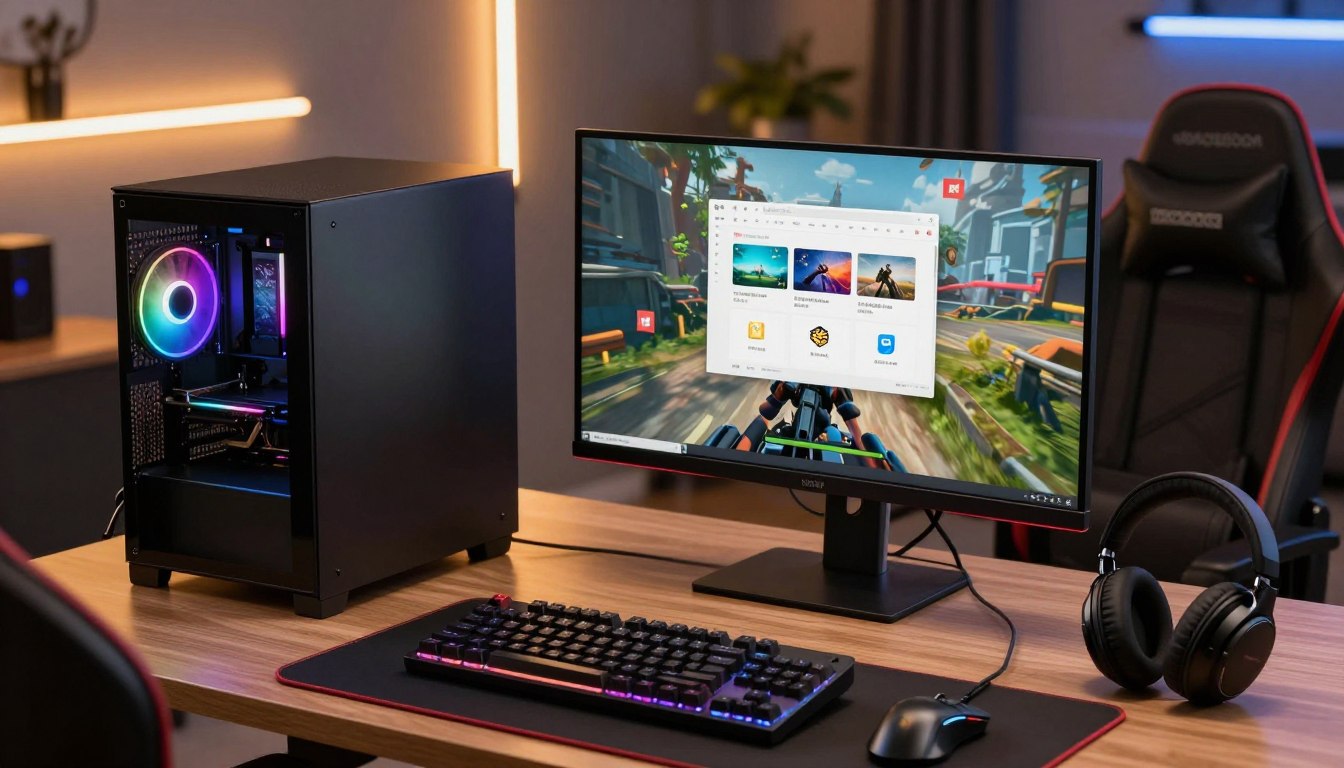

What Is A Good Multi Core for Gaming PC? A Complete Guide
For most gaming PCs, 6 cores are a sensible starting point and 8 cores provide a comfortable target for gaming alongside everyday tasks. If you are choosing parts for a new computer, that range gives games room to run while you keep common applications open. A larger count mainly helps when you also do demanding creative work or heavy multitasking.
The right processor affects how smoothly games and other programs share work. Paying for extra cores makes sense when your regular tasks can use them, not just because a larger number looks impressive on a product page. This guide helps you match core count to the way you use your PC, then weigh the other parts of processor performance and compatibility.
Key Takeaways
- Six cores are a practical starting point for a gaming PC.
- Eight cores suit most gaming builds and everyday multitasking.
- More cores help most with demanding background or creative work.
- Thread count and physical-core count describe different things.
- Clock speed, cache, graphics card, and game settings also affect performance.
- Check your motherboard before buying a replacement processor.
The useful question is not simply how many cores a CPU has, but what else you expect it to do while a game is running.
What Does a CPU Core Do?
A CPU core is an execution unit that processes instructions for games, applications, and the operating system. The central processing unit, or CPU, coordinates that work, while its cores carry out the steps. Each core handles processor work, from updating game characters to running background tasks.
A core fetches an instruction, decodes what it means, executes it, then writes back the result. The CPU manages the order and flow of instructions so different programs can use the computer. Your core count is the number of physical processing units inside the CPU, not a measure of every task your computer can run at once.
A CPU core is a physical execution unit that processes instructions. The processor coordinates work for games, applications, and the operating system.
How many cores are in a computer? The answer depends on the processor installed in it. Consumer desktop CPUs commonly range from 4 to 16 cores, while workstation processors can have more for specialized workloads.
That number alone does not describe how quickly a computer handles a game. Core design, clock speed, memory access, and the software’s ability to divide its work also matter. A game might rely heavily on a few cores while other programs use more of the processor.
When you compare PCs, look up the processor model and its specifications. Product names and prices do not reliably tell you how many physical cores a chip contains. Check the physical-core count in the CPU specifications, rather than assuming a computer has a particular number based on its name or price.
What Is the Difference Between Cores and Threads?
A 6-core, 12-thread processor still has 6 physical cores, not 12. A thread is a logical stream of instructions that a processor can schedule for execution. Threads are work paths, not extra pieces of physical hardware.
Physical cores are the hardware
A physical core is a processing unit built into the chip. It can work on instructions independently of another core, although the cores may share resources inside the processor. When a specification lists 6 cores, it means the CPU contains six physical processing units.
Threads are the work paths a CPU can schedule
A thread is a logical stream of instructions that the CPU schedules for execution. Many processors use simultaneous multithreading, a design that lets a physical core handle two threads. The extra thread can help a core make better use of available resources, but it does not double the core’s performance.
Product specifications often show both figures. A 6-core, 12-thread CPU has 6 physical cores and 12 listed threads. An 8-core, 16-thread CPU has 8 physical cores and 16 listed threads. Those pairings are common examples of two threads per core.
The number of threads can help indicate how much work a processor may keep in progress, especially across applications. It is not a direct score for gaming performance, and processors with the same thread count can perform differently. Architecture and workload still affect how well the chip handles a game or program.
Read the full specification before comparing two processors. A high thread count may come from more physical cores, or from multiple threads supported by each core. Compare both numbers, since a high thread count does not tell you how many physical cores the CPU contains.
What Is a Good Multi Core for Gaming PC?
For a new gaming PC, aim for 6 cores at the entry level or 8 cores if the budget allows. Eight cores are sufficient for gaming in 2026 and provide a strong target for a gaming-focused build.
Choose more than 8 cores when demanding background work is part of your plan, rather than expecting extra cores alone to raise game frame rates. Gaming performance scaling falls off substantially beyond 8 cores. The game, processor design, and other tasks determine whether additional cores will be useful.
Six cores make a practical entry point when you want to spend more of your budget on the graphics card, storage, or other parts. They can handle modern games and everyday use, although demanding programs running at the same time leave less room to spare.
Eight cores give a gaming PC more capacity for games alongside voice chat, a browser, and common background applications. They suit many players who want a capable computer without paying for a high core count aimed at workstation tasks.
In 2026, Tom’s Hardware lists the Ryzen 7 9800X3D in its $300-$400 overall gaming CPU category. That is one example of an 8-core processor positioned for gaming, not a requirement for every build. A less expensive CPU may fit your budget and games better.
Frame rates do not rise automatically as the core count climbs. Some games can use several cores well, while others depend more on a few fast cores or the graphics card. If gaming is the main task, prioritize a well-rounded 6- or 8-core CPU over paying extra for cores that your games may not use.
Is a 4-Core CPU Enough for Gaming?
Yes, a 4-core CPU can run games, but it has less room for background tasks than a 6-core chip. A quad-core may be workable if you keep other applications limited, but that spare capacity matters when a game and several programs compete for processor time.
Four cores are a compromise for a new gaming PC that needs to multitask. The operating system, game, browser, voice chat, and recording software all need time on the processor. With fewer physical cores, demanding activity in one program can affect how smoothly another runs.
A quad-core is most likely to feel constrained in situations like these:
- Running a game with voice chat and a browser open.
- Capturing or encoding gameplay while you play.
- Playing a CPU-heavy simulation or strategy game.
- Aiming for high frame rates while other applications run.
Some older or less demanding games can run well on a four-core processor. The result depends on the chip’s speed and design, the game, and the amount of work happening in the background. Closing unused programs can reduce competition, but it does not add processing capacity.
For a new build, 6 cores are a stronger entry-level target. The move beyond 8 cores brings diminishing gaming gains, so choosing a higher count is not automatically a better use of your budget. A quad-core can make sense when it is already in a working PC, but it is a tight choice for a new gaming build that needs to multitask.
Are More CPU Cores Better for Gaming?
More cores help when a game or another active task can use them, but core count alone does not determine frame rate. Games divide some work across cores, yet each game handles that work differently.
Eight cores are sufficient for gaming in 2026, and performance gains diminish substantially beyond that point. Intel gaming performance benefits from its P-cores, the higher-performance cores in its hybrid designs. Not every core in a hybrid CPU contributes equally to a game’s performance.
Games divide some work across cores

A modern game may run simulation, artificial intelligence, audio, and world updates at the same time. When the game can split that work effectively, multiple cores can help keep its tasks moving. But one game might spread work across cores well, while another relies more heavily on a smaller number.
Some game situations can place extra demands on the CPU:
- Many AI-controlled characters acting at once.
- A large, seamless game world with frequent updates.
- Rapid player inputs that need quick responses.
- Complex physics affecting characters and objects.
Extra cores help most with competing workloads
More cores can be useful when you play while running demanding applications, such as recording software or a large creative program. Those applications compete with the game for processor time. Extra capacity can make the combination easier to manage, though the benefit depends on each program’s workload.
A high core count does not guarantee a higher frame rate. A game must be able to use the cores, and other parts of the system can limit performance. If a game depends on a few fast cores, adding less-used cores may make little difference.
Match extra cores to a real workload, such as a simulation game or a demanding application running beside the game.
How Many Threads Are Good for Gaming?
For a modern gaming build, 12 or 16 threads are sensible pairings when they come from 6 or 8 physical cores. Those pairings are common, but the right thread count depends on the workload and the processor’s design.
Six cores and 12 threads or 8 cores and 16 threads are practical gaming combinations. Many CPUs expose two threads per core through simultaneous multithreading. A thread count can help show how the processor handles concurrent work, but it is not a substitute for the physical-core count.
| Physical cores | Listed threads | What the pairing means |
|---|---|---|
| 4 | 8 | Entry-level example |
| 6 | 12 | Common entry-level pairing |
| 8 | 16 | Gaming-focused pairing |
| 16 | 32 | Higher-core-count multitasking example |
The table shows familiar pairings, not a rule that every processor must follow. Some CPU designs list different numbers of cores and threads. A hybrid processor may also combine different kinds of cores, so the specification needs to be read in context.
A 12-thread or 16-thread CPU can suit a gaming PC when it has 6 or 8 physical cores. A processor with more threads may be helpful for additional tasks, yet it does not promise more gaming speed by itself. The game and CPU architecture shape the result.
When comparing processors, read the core count and thread count as separate specifications. Treat the physical-core count and the thread count as separate clues, not interchangeable measures of gaming speed.
What Matters Besides Core Count?
Two CPUs with the same number of cores can deliver different game performance because clock speed, cache, and design also matter. Core count is only one measure of a processor’s ability to handle a game.
Clock speed describes how quickly a core can operate, but GHz alone cannot rank different CPU designs. Cache is fast, nearby memory that can reduce how often a processor waits for system memory. Both features can affect performance, along with the chip’s architecture and the game itself.
Clock speed affects how quickly cores work
Specifications often list a base frequency and a boost clock. A boost clock is a speed a CPU can reach under suitable conditions, not a promise that every core will hold that speed during every game. Cooling, power limits, and the task being run can affect how the processor operates.
For example, the Ryzen 7 9850X3D and Ryzen 7 9800X3D both have 8 cores and 16 threads. Their listed boost clocks are 5.6GHz and 5.2GHz, respectively. A higher clock number is useful context, but it does not tell you the size of the performance difference across every game.
Cache can change game performance
Cache stores data the CPU may need soon, close to its processing cores. When a game’s data is available in cache, the processor may spend less time waiting for system memory. The effect varies with the game and its access patterns, so cache size is not a universal frame-rate score.
The Ryzen 7 9800X3D has 96MB of L3 cache and a listed 5.2GHz boost clock. The 9850X3D also has 8 cores and 16 threads, with a listed boost clock of 5.6GHz. These specifications show why two CPUs with the same core count can differ, but they do not predict every game’s result on their own.
Check performance in the games you play and consider the full system, rather than choosing by a single specification. Compare performance in the games you actually play, not just the core count or the highest clock printed on the box.
How Do Resolution and the Graphics Card Change CPU Needs?
At 1080p and high frame rates, CPU differences are easier to expose than they are at 4K. Higher resolution shifts more work to the graphics card, which can make differences between CPUs less visible.
Judge CPU results alongside the graphics card and settings used for the test. Common gaming test resolutions include 1080p, 1440p, and 4K. The graphics card does more graphics work as resolution and visual settings rise, so the GPU may become the limit before the CPU’s full performance shows.
At 1080p, a powerful graphics card may deliver high frame rates that make processor differences easier to measure. At 1440p or 4K, the graphics card has more pixels and visual detail to process. The change in workload can narrow the visible gap between two CPUs.
For example, at 1440p ultra with an RTX 5070 Ti or higher, the Ryzen 7 9850X3D gaming lead over the Ryzen 7 9800X3D is estimated at 1-2% in most games. That estimate applies to those test conditions, not every graphics card or game.
A 2026 CPU benchmark suite tests 17 demanding games. It uses an Nvidia RTX 5090 on its first four benchmark slides and an RTX 4090 on the rest. That difference in test setup is one reason benchmark results need context, even within a single suite.
Use a benchmark to compare CPUs only when its test conditions resemble your own PC. A result from a high-end graphics card at one resolution may not predict what you see with a different card or settings. Judge a CPU result alongside its resolution, graphics settings, and graphics card, rather than treating a benchmark percentage as universal.
How Can You Tell If Your CPU Is a Gaming Bottleneck?
If the GPU is waiting while the CPU stays heavily loaded in the same game scene, the processor may be limiting performance. A bottleneck occurs when one component restricts how much performance the rest of the system can deliver. Look at the whole system, not one percentage.
Sustained CPU use around 90-100% with much lower GPU use can suggest a CPU limit, but it is not proof or a universal threshold. Task Manager is a basic place to inspect CPU, GPU, RAM, and storage use. Overall CPU use can also hide a few heavily loaded cores.
Use these checks while playing a demanding game:
- Monitor CPU and GPU use in the same demanding game scene.
- Check per-core activity as well as total CPU use.
- Notice whether lowering graphics settings changes frame rate.
- Compare frame-time consistency, not only average FPS.
Frame time is how long the computer takes to produce each frame. Uneven frame times can make a game feel jerky even when its average frame rate looks reasonable. A smooth average can also hide a brief slowdown in a crowded scene.
Repeat the check in more than one scene. A busy city, open area, or battle may load the processor differently from a quiet indoor space. Also check whether other programs are using the CPU while the game runs.
A graphics card limit can look different from a CPU limit, and memory or storage issues can affect play too. Check more than one scene and more than one metric before spending money to fix a suspected bottleneck.
How Many Cores Do You Need for Gaming and Streaming?
If you stream with GPU-based encoding, 6 to 8 CPU cores are a sensible target for gaming plus the stream and other everyday tasks. GPU encoding is common in 2026, with streamers often using NVENC or AMF instead of CPU-based x264 encoding.
A streaming PC can run the game, OBS, chat, a browser, alerts, and other background tasks at the same time. You generally do not need 16 cores just for streaming, unless you choose x264 encoding or run other demanding applications alongside your game.
GPU-based encoding leaves more CPU room

NVENC and AMF use hardware in a graphics card to encode a stream. That leaves the CPU with work to do, but it avoids placing all the encoding work on the processor. The game and background programs still need processor time, so your results depend on the full workload.
A 6- or 8-core CPU can suit many setups that use GPU-based encoding. A browser with several tabs, animated alerts, or other active programs can add work. How many you keep open matters more than simply having streaming software installed.
CPU-based x264 encoding adds processor work
x264 uses the CPU to encode video. It can raise processor demand while a game is already using the same chip. If you want to use x264, test the settings and game combination you plan to stream before relying on it for a live broadcast.
Use this short setup check:
- Select the intended encoder in OBS.
- Test the stream while playing your most demanding game.
- Check dropped frames and CPU load.
- Close or limit unnecessary background applications.
Streaming needs vary with the encoder and the number of programs you run, not just the game. A 6- or 8-core CPU can handle many gaming-and-streaming setups, while x264 and heavy multitasking change the workload. Choose a higher core count for a specific encoding or multitasking workload, not simply because the word streaming appears in your build plan.
Is a 10-Core or 20-Core CPU Good for Gaming?
A 10-core CPU is good for gaming, while a 20-core CPU is usually a gaming-plus-work choice rather than a gaming requirement. Ten cores leave room for games and demanding background applications.
A 20-core CPU can run games, but many of its extra cores may not improve gaming-only frame rates. Eight cores are already sufficient for gaming in 2026, so suitability is not the same as value. The game, clock speed, cache, and price matter once a CPU has enough cores for the workload.
A 10-core CPU suits gaming plus heavier multitasking
Ten cores can make sense if your PC runs demanding applications while you play. A large project, several active programs, or heavy multitasking can put more work on the processor than gaming alone. The extra cores help when those programs can use them.
If your usual routine is gaming with a few everyday applications, a 10-core chip may add little value over a suitable 8-core model. Compare the specific CPU’s gaming performance and price instead of paying for a headline count.
A 20-core CPU makes more sense for demanding parallel work
A 20-core processor can be useful for workloads that divide work across many cores, such as some rendering and encoding tasks. It can also game, but that ability does not mean all its cores will be busy during play. Many games do not scale evenly to very high core counts.
Cooling and power use may also matter when you choose a high-core processor. Check the specific CPU’s requirements and the rest of your system rather than assuming that every 20-core chip has the same needs.
Buy 20 cores when you can name the parallel workload that will use them, not as a guarantee of higher FPS.
Which CPU Should You Choose for Your Gaming Budget?
For most gaming-focused buyers, the Ryzen 7 9800X3D is the value-minded pick, while the Ryzen 7 9850X3D is the faster option in the cited 1080p comparison. The price gap changes the value, even when one model scores higher.
In August 2026, the 9850X3D scored 3% higher than the 9800X3D while costing $69 more. The 9800X3D is the value choice in that comparison. The figures below are dated August 2026 street prices and 1080p gaming scores.
| CPU | August 2026 street price | August 2026 1080p gaming score | Best fit |
|---|---|---|---|
| Ryzen 7 9850X3D | $484 | 100% | Highest gaming score |
| Ryzen 7 9800X3D | $415 | 97% | Near-top gaming value |
| Ryzen 7 7800X3D | $330 | 85.6% | Lower-cost gaming option |
Entry-level gaming builds
The Ryzen 7 7800X3D is the lower-cost option among these three in the August 2026 comparison. It scored 85.6% against the 9850X3D’s 100% in that chart. A separate comparison describes the 9850X3D as about 17% faster than the 7800X3D, while another statement calls the 7800X3D about 12% slower. Those are distinct reported comparisons, not the same measure as the chart scores.
Midrange gaming builds
In September 2026, Tom’s Hardware placed the Ryzen 7 9800X3D in its $300-$400 gaming category and recommended it over the refreshed model on price grounds. That category is a useful anchor, but street prices shift. The Core Ultra 5 250K Plus was listed in the $200-$300 midrange category, while the Ryzen 5 7600X appeared in the $100-$150 budget category.
Premium gaming and mixed-use builds
The Ryzen 7 9850X3D offers the highest score in this 1080p comparison. Other 2026 alternatives include the Ryzen 7 9700X, Core Ultra 7 270K Plus, and Ryzen 5 7600X3D. The Ryzen 7 7800X3D was also listed at about $340 in a 2026 streaming CPU table, while its August 2026 street price was $330 and its MSRP was $449.
Prices fluctuate, and a small score difference may not justify a large premium for your games. Check the live price before buying, because processor prices can move and the August 2026 figures are dated snapshots.
Is an Intel Core i7 or Ryzen 7 Better for Gaming?
In the cited gaming hierarchy, the Ryzen 7 9850X3D leads, but that does not make every Ryzen 7 a better buy than every Intel CPU. Exact models matter more than broad family names.
The Core Ultra 7 270K Plus is a reasonable alternative if you also value its core resources. The hierarchy reports relative gaming scores, not a universal result for every game or PC configuration.
| CPU | Relative gaming score in the cited hierarchy | Design note |
|---|---|---|
| Ryzen 7 9850X3D | 100% | Gaming-focused comparison point |
| Core Ultra 7 270K Plus | 77.5% | 6 P-cores plus 12 E-cores |
| Core Ultra 9 285K | 71.8% | Comparison point |
The Core Ultra 7 270K Plus combines 6 P-cores with 12 E-cores. Those core resources may appeal if your PC handles more than gaming, but core count does not directly predict the ranking shown above.
A separate comparison found the Ryzen 7 9800X3D roughly 35% faster in gaming than the Core Ultra 9 285K. That is a distinct benchmark comparison, not the same test as the hierarchy percentages in the table. Different games and test setups can produce different gaps.
Model generation and CPU design matter more than simply comparing “Core i7” with “Ryzen 7.” Each family includes processors made for different budgets and workloads. Compare the exact processor models and the games you play, since a family name alone does not predict the winner.
Do Video Editing and Other Creative Tasks Need More Cores?
If video editing or rendering is a major part of your workload, extra cores can save time when the software can use them. Parallel workloads can benefit from more processing capacity, though the gain varies by application and task.
More cores are most useful for creative work that can divide its processing across them. Video editing, rendering, and encoding may use many cores, while other steps may depend more on one core or a different part of the computer.
| CPU | Cores/threads | Boost clock | Listed price | Creator-workload fit |
|---|---|---|---|---|
| Ryzen 9 9950X3D | 16/32 | 5.7GHz | $629 | Gaming plus heavy multitasking |
| Ryzen 9 9950X | 16/32 | 5.7GHz | $549 | Multi-threaded work |
| Ryzen 5 9600X | 6/12 | 5.4GHz | About $190 | Lighter budget workloads |
The Ryzen 9 9950X3D scored 625.1 samples per minute in Blender, compared with 556.6 for the Core Ultra 9 285K. That result shows an advantage in this specific multi-threaded test, not a fixed lead in every editing application.
Its gaming frame rates were in a similar league to the 8-core Ryzen 7 9800X3D in Assassin’s Creed Mirage and Cyberpunk 2077. In Blender multi-threading, the 9950X3D was substantially faster. The difference illustrates why gaming and creative work can favor different processor choices.
A 2026 CPU guide listed the Ryzen 7 9850X3D at $485 and the Ryzen 9 9950X3D at $629. A separate 2026 streaming CPU table listed the 9950X3D at $699. These are different dated listings, not one current price. The 9950X is listed at $549, with the same 16 cores and 32 threads but 64MB of L3 cache.
The much more expensive Ryzen 9 9950X3D2 is not far ahead in overall gaming performance. For gaming plus demanding creative work, consider a 16-core CPU; for gaming first, do not pay for cores your other applications will leave idle.
What Should You Check Before Upgrading a Gaming CPU?
Before buying a faster CPU, check whether your current motherboard and memory can support it. Platform compatibility comes first, because a processor may not fit or work with your existing board.
An upgrade can require a new motherboard and DDR5 memory, not just a new processor. The motherboard socket and supported BIOS determine which CPUs can work. Moving from an older socket such as AM4 to a newer platform may add both costs.
Check the motherboard socket and BIOS before choosing a CPU. A platform change can also mean buying a new board and DDR5 memory.
Confirm the socket and motherboard
Start with the model of your current motherboard and its socket. Check whether the CPU you want is supported, including the BIOS version it needs. A board can have the right socket and still need a BIOS update before it can run a newer processor.
Use this checklist before ordering parts:
- Identify the current motherboard socket.
- Confirm CPU and BIOS compatibility.
- Price a replacement motherboard if needed.
- Include DDR5 if the new platform requires it.
- Check CPU cooler and power compatibility.
Include memory and platform costs
DDR5 prices are peaking in 2026, so include memory and motherboard costs in the build budget. A processor that looks affordable by itself may cost more once you add the platform parts needed to run it. Compare the full upgrade, not only the CPU price.
AMD and Intel processor prices fluctuate, and gaming CPU chart prices can change. Ryzen-based systems also have platform requirements to consider, and gaming-oriented X3D models carry a premium. Those are practical trade-offs for particular Ryzen choices, not drawbacks shared by every Ryzen CPU.
Compare the total upgrade cost, including motherboard and DDR5 where needed, before deciding that a processor alone is the cheaper route.
Conclusion
For most gaming PCs, 6 to 8 cores is the practical range, with 8 cores a strong target for a new build. Six cores can get you started, while higher counts make more sense for parallel creative work or heavy multitasking.
Gaming performance depends on more than core count. The games you play, your other applications, and your existing platform all help determine which CPU makes sense. A bigger specification is useful only when it serves the work you actually do.
Check the CPU requirements for your main games and applications, then confirm motherboard compatibility before shopping. Write down your main games, background applications, and upgrade budget, then choose a compatible CPU that fits those needs.
FAQ
Is the i7 or Ryzen 7 better for gaming?
The Ryzen 7 9850X3D leads the cited gaming hierarchy, but the exact Intel and AMD models matter more than the family labels. Intel options can suit mixed workloads, and different generations perform differently. Compare the games you play, the prices you find, and the full CPU models rather than assuming every Core i7 or Ryzen 7 has the same gaming strengths.
Is 8 or 12 cores better for gaming?
Eight cores are sufficient for gaming in 2026, while 12 cores make more sense when demanding background or creative workloads can use them. A game may not spread its work across all 12 cores, so the extra capacity may not improve gaming frame rates. Choose 12 cores for a workload you expect to run alongside your games, not for the number alone.
Is 24 cores overkill for gaming?
Usually, 24 cores are more than a gaming-only PC needs. Many games do not use that many cores effectively, so a higher count does not guarantee higher frame rates. A 24-core CPU can make sense for heavy parallel work, such as rendering or other demanding tasks that run beside games. The right fit depends on whether your regular applications can use the additional cores.
What is the best core for a gaming PC?
An 8-core CPU is a strong target for a gaming PC. In the cited comparisons, the Ryzen 7 9850X3D leads for top gaming performance, while the Ryzen 7 9800X3D is a lower-cost alternative. Prices can change, so the better buy depends on the gap between them and the games you play. Check the processor’s full specifications, not just the core count.
How many cores does a gaming PC need?
A gaming PC needs 6 cores as a practical starting point, while 8 cores suit most builds. A quad-core CPU can run games, but it leaves less room for a browser, voice chat, recording software, and other tasks. If your current four-core PC still runs your games well, you may not need to replace it immediately. For a new build, six cores provide more breathing room.
Is a Ryzen 7 overkill for gaming?
No, an 8-core Ryzen 7 can be a sensible gaming choice. The Ryzen 7 9800X3D and 9850X3D are examples of gaming-focused options, and both have 8 cores. Whether either is good value depends on its price compared with other processors and the performance you need. A Ryzen 7 is not automatically the right pick for every budget or graphics card.
Are Ryzen 9 or 7 better for gaming?
Ryzen 7 X3D models are strong gaming-focused choices, while Ryzen 9 can make more sense when gaming is paired with demanding multi-threaded work. A Ryzen 9 may offer more cores for rendering or other creative applications, but that does not guarantee higher gaming frame rates. Compare the particular models and the tasks you run, since the family name alone does not decide the better fit.

 By
By
 By
By